[tabs tab1=”Start Here” tab2=”Download SDK” tab3=”Installation” tab4=”Open SDK Interface” tab5=”ATSC 3.0 Data”]
[tab id=”tab1″]
Latest SDK Posted 3:02 PM PT, September 27, 2018 “v1.4”
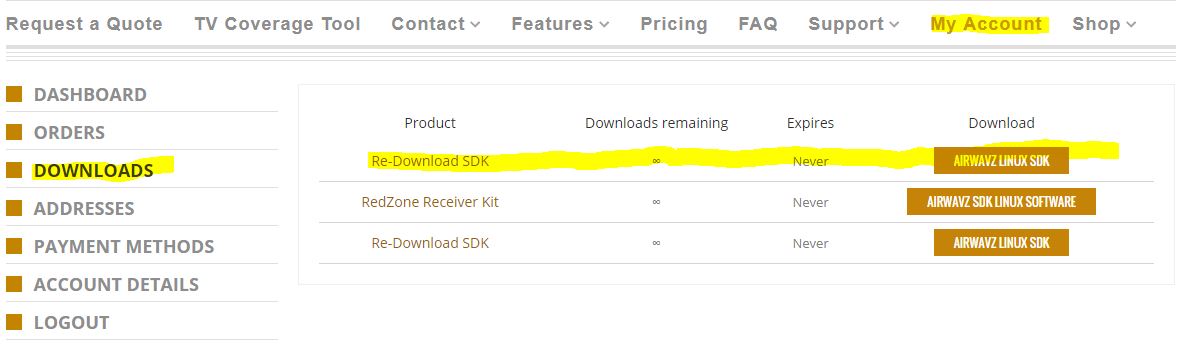
You can download the most recent copy of the SDK from inside your account.
GETTING STARTED:
- Login or Register and click on “My Account“
- Click the next tab “Download SDK”
Can’t find what you’re looking for? email us at: support@airwavz.tv
[/tab]
[tab id=”tab2″]
- Login or Register to RedZone Receiver.tv website then click on “My Account“
- The Dashboard is your default landing page in “My Account”
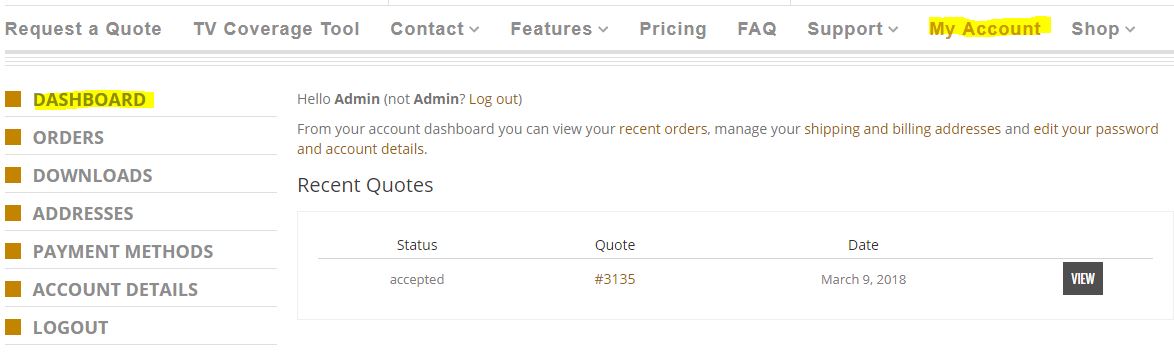 3. Click “Downloads” to retrieve your SDK